How to Render Blender from the Command Line (Animation, GPU, Batch)
A practical guide to rendering Blender from the command line: the argument order that trips everyone up, frame ranges, output paths, choosing a Cycles GPU, batch scripts for many .blend files, headless servers, logs and the common errors.
Command line rendering lets you render on a machine with no monitor, or push ten shots through one script instead of clicking Render ten times. The syntax is short, but one detail catches almost everyone: Blender runs its arguments in the order you type them. Put one flag in the wrong place and the render still "works", it just ignores your settings.
Every flag below comes from the official Blender manual command line arguments page (the Blender 5.3 manual at the time of writing), the Rendering From The Command Line page, and blender --help. We also ran the commands on a Linux box with Blender 4.5.16 LTS to check the behaviour described.
The basic command
The general form is blender [args ...] [file] [args ...]. For a render you want background mode, the file, and what to render.
# render frame 10 and save it
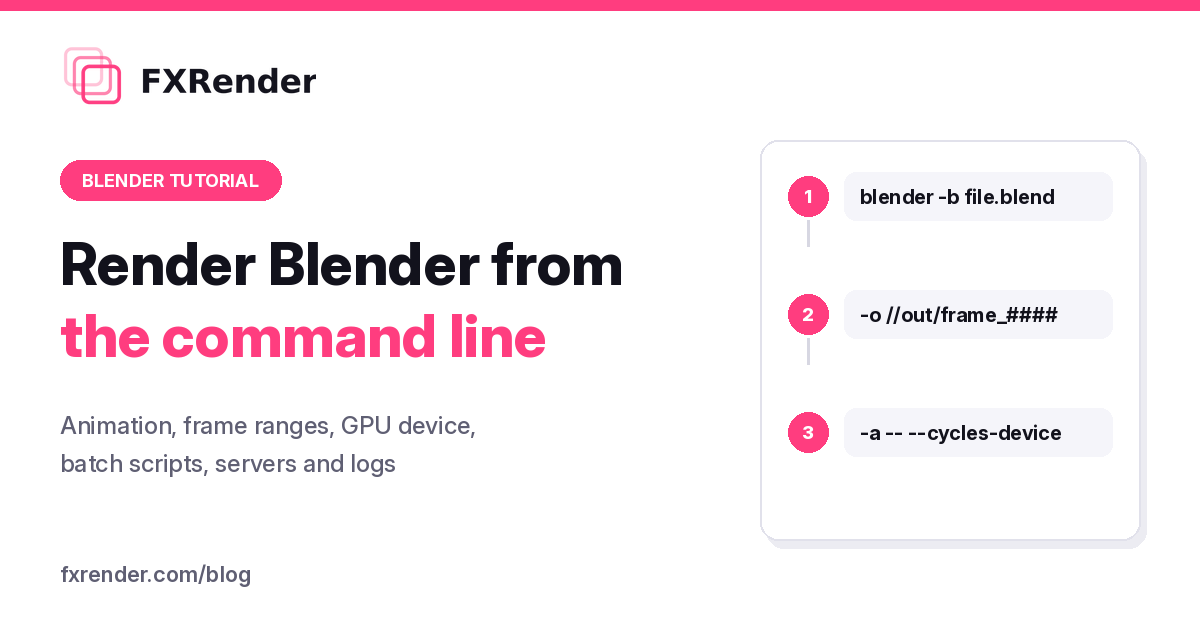
blender -b file.blend -f 10

# render the whole animation with the settings saved in the file
blender -b file.blend -a-b(--background) runs Blender without its user interface. The manual notes that the audio device is disabled in background mode by default.-f(--render-frame) renders one or more frames and saves them.-a(--render-anim) renders from the start frame to the end frame, inclusive.
Argument order: -b first, -f or -a last
The manual is blunt: "Arguments are executed in the order they are given!" and "Always position -f or -a as the last arguments."
# wrong: renders before the output path is set
blender -b file.blend -a -x 1 -o //render

# right
blender -b file.blend -x 1 -o //render -a
blender --help adds a second trap: if you put --render-output before the file name, loading the .blend overwrites the output path you just set. The safe pattern is: -b, the file, your overrides, then -f or -a.
We tested the wrong order on purpose with blender -b shot.blend -a -o //out3/x_. Blender rendered happily and saved the frame to /tmp/0001.png, the default output path stored in the file. No error, no warning.
Arguments are also case sensitive: -F sets the format, -f renders a frame.
Frame ranges, lists and steps
# frames 10 to 500
blender -b file.blend -s 10 -e 500 -a

# every second frame (a quick preview pass)
blender -b file.blend -j 2 -a

# a comma separated list (no spaces) or an inclusive range with ..
blender -b file.blend -f 1,20,40
blender -b file.blend -f 1..3
-s and -e set the start and end frame and, per the manual, "support +/- for relative frames too". -j (--frame-jump) sets how many frames to step after each rendered frame. In our test, -f 1..3 wrote three frames and -s 2 -e 3 -a wrote frames 2 and 3.
Ranges also let you split an animation across machines (-s 1 -e 250 on one, -s 251 -e 500 on another). Our guide on how long a Blender animation takes to render shows how to estimate each chunk.
Output path, #### tokens and file format
blender -b file.blend -o //renders/frame_#### -F PNG -x 1 -a-o(--render-output) sets the path and file name. A leading//means "relative to the .blend file".- Each
#is replaced by the frame number and sets the zero padding:test-######.pngbecomestest-000001.png. -x 1adds the file extension.- If the name has no
#, Blender appends####, so//render_writes//render_0001.png. -Foverrides the format saved in the file. Options includePNG,JPEG,TIFFand, where compiled in,OPEN_EXR,OPEN_EXR_MULTILAYERandFFMPEG.
The manual also says you can use path templates such as {blend_name} inside -o. Quote paths that contain spaces or #.
For animation, render an image sequence rather than a movie file: if frame 900 fails, you resume from 900, not from 1.
Choosing the engine with -E
blender -b file.blend -E CYCLES -s 10 -e 500 -t 2 -a-E (--engine) picks the render engine, and blender -E help lists what your build offers. One version gotcha: the Blender 5.0 Python API release notes say EEVEE's identifier changed from BLENDER_EEVEE_NEXT to BLENDER_EEVEE. The current API docs list BLENDER_EEVEE, while our 4.5.16 build still reports BLENDER_EEVEE_NEXT. Check -E help on the machine that renders.
Rendering on the GPU from the command line
Cycles has its own options, and the manual says they "must be specified following a double dash":
blender -b file.blend -f 20 -- --cycles-device OPTIX
blender -b file.blend -o //out/frame_#### -a -- --cycles-device CUDA
Valid values are CPU, CUDA, OPTIX, HIP, ONEAPI and METAL. Append +CPU to a GPU device (for example CUDA+CPU) to render on both. Everything after -- is passed unchanged to Python, so -f or -a still goes before the double dash. Per the GPU rendering page: CUDA and OptiX for NVIDIA, HIP for AMD, oneAPI for Intel Arc, Metal for Apple Silicon.
Worth knowing: on our CPU-only test box, -- --cycles-device CUDA did not stop the render. Blender finished the frame on the CPU and printed no error in the console output. With a broken driver, a "GPU" render can quietly become a slow CPU render, so check what devices Blender sees.
The Python preferences approach
The other way is a small script run with -P (--python) or --python-expr. It sets the Cycles compute backend, enables the GPUs, switches scenes to GPU, and prints what it found:
# gpu.py
import bpy
prefs = bpy.context.preferences.addons["cycles"].preferences
prefs.compute_device_type = "OPTIX"   # or CUDA, HIP, ONEAPI, METAL
prefs.get_devices()
for d in prefs.devices:
    d.use = (d.type != "CPU")
    print("Device:", d.name, d.type, "use =", d.use)
for scene in bpy.data.scenes:
    scene.cycles.device = "GPU"
blender -b file.blend -P gpu.py -o //out/frame_#### -aPut the script after the file (so it changes the loaded scene) and before -a. If no GPU is printed, fix the driver first. The same code fits in one --python-expr "..." argument. Add --python-exit-code 1 so a failing script stops Blender with a non-zero exit code: in our test, an exception with --python-exit-code 3 made Blender exit with code 3 before it rendered anything.
Threads with -t
-t (--threads) sets the thread count, 1 to 1024, with 0 meaning the system's processor count. It matters most for CPU renders.
Batch rendering many .blend files
Batch rendering is just a loop, one Blender process per file. Each example writes frames next to its .blend (via //) with one log per file.
Linux and macOS (bash)
#!/usr/bin/env bash
mkdir -p logs
for f in /data/shots/*.blend; do
  name=$(basename "$f" .blend)
  blender -b "$f" -o "//render/${name}_####" -a > "logs/${name}.log" 2>&1 \
    || echo "FAILED: $f"
done
Windows batch file (.bat)
@echo off
set BLENDER="C:\path\to\blender.exe"
for %%f in (C:\shots\*.blend) do (
  %BLENDER% -b "%%f" -o "//render/%%~nf_####" -a > "%%~dpnf.log" 2>&1
)
Windows PowerShell
$blender = "C:\path\to\blender.exe"
Get-ChildItem C:\shots\*.blend | ForEach-Object {
  & $blender -b $_.FullName -o "//render/$($_.BaseName)_####" -a *> "$($_.DirectoryName)\$($_.BaseName).log"
  if ($LASTEXITCODE -ne 0) { Write-Host "FAILED: $($_.Name)" }
}
Running headless on a server
The manual's main argument for command line rendering is that "we do not need a graphical display (no need for X server on Linux for example)" and can render over SSH. A few habits help:
- Run the job inside
tmuxorscreen, or withnohup, so it survives a dropped SSH session. - Use
--factory-startup(it skips the user'sstartup.blend) if a server profile could change defaults. - Blender's default is
-Y, which disables automatic Python execution, including Python drivers. If your rig depends on drivers, add-y(--enable-autoexec) only for files you trust. - Copy textures and linked libraries with the file. Our guide to packing a .blend without missing textures covers this.
Logging output to a file
A shell redirect captures everything, including the per-frame Fra: status lines and each Saved: line:
blender -b file.blend -a > render.log 2>&1
blender -b file.blend -a 2>&1 | tee render.log
Blender also has a --log-file <filepath> option, but it belongs to the logging system controlled by --log and --log-level. In our 4.5.16 test, --log-file alone produced an empty file while the render status still went to the terminal, so use redirection for a full record. The logging flags also changed between versions: in 4.5 --log-level takes a number, while the 5.3 manual lists named levels (fatal, error, warning, info, debug, trace).
Common errors and what they mean
- Frames saved to the wrong place, or settings ignored. Argument order. Put
-o,-F,-s,-eand-Eafter the file and before-for-a. Error: Cannot read file "...": No such file or directory. Wrong path or an unquoted path with spaces. Blender exited with code 1 in our test.- Render much slower than expected. It may be on the CPU. Print devices with the script above.
Error: Out of memoryon the GPU. The GPU rendering page says the scene usually does not fit in GPU memory; smaller textures help.- Pink textures. External files are missing on the render machine. Pack them.
- Rig or animation looks frozen. Automatic Python execution, including drivers, is off by default (
-Y); see-yabove.
When the command line is not enough: FXRender
FXRender is a cloud GPU render farm for Blender, and GPU rendering is $1.50 per hour, billed per GPU-second. Its fxr CLI uploads a .blend or .zip, renders a frame range (fxr render shot.blend --frame-start 1 --frame-end 48 --follow), streams the log, and downloads the frames, and on a server it reads its token from the FXRENDER_TOKEN environment variable. fxr mcp runs a local MCP server so tools like Claude or Cursor can submit and poll renders. Every job shows the full render log, with Blender's output for each frame plus any Python tracebacks and errors. For how it compares with other services, see our Blender render farm comparison.
FAQ
How do I render a Blender animation from the command line?
Run blender -b file.blend -a. The -b flag runs Blender in the background without its interface, and -a renders from the start frame to the end frame saved in the file. Put any overrides such as -o, -F, -s or -e after the file name and before -a.
Why does the order of Blender command line arguments matter?
Blender executes arguments in the order they are given. A render flag renders immediately with the settings set so far, and loading the .blend replaces settings given before it. Use blender -b file.blend, then your settings, then -f or -a last.
How do I render with the GPU from the Blender command line?
Add Cycles options after a double dash, for example blender -b file.blend -a -- --cycles-device OPTIX. Valid devices are CPU, CUDA, OPTIX, HIP, ONEAPI and METAL, and you can append +CPU to use both. A short Python script run with -P can also set the Cycles device preferences.
How do I render only some frames?
Use -s and -e for a range with -a, such as blender -b file.blend -s 10 -e 500 -a. With -f you can pass one frame, a comma separated list without spaces like 1,20,40, or an inclusive range like 1..3.
How do I batch render multiple .blend files?
Loop over the files and call Blender once per file: a for loop in bash on Linux or macOS, a for %%f loop in a Windows .bat file, or Get-ChildItem with ForEach-Object in PowerShell. Redirect output to one log per file.
Sources: Command Line Arguments, Rendering From The Command Line, GPU Rendering, 5.0 Python API notes, Blender 4.5.16 --help and our test renders.