Blender Vulkan vs OpenGL in 5.3: Benchmarks, Defaults and When to Switch Back
Blender 5.3 switched the default graphics backend to Vulkan on Windows (except ARM) and Linux. Here is what the official benchmarks show, what it does and does not change, and how to switch back to OpenGL when you need to.
If you installed Blender 5.3 on Windows or Linux and the viewport suddenly feels different, faster in some scenes or glitchy on an older driver, the reason is probably the graphics backend. The Blender 5.3 release announcement (November 10, 2026) confirms that "Vulkan is now the default backend on Windows (except ARM) and Linux, with lower minimum requirements." After years as an opt-in option, Vulkan is now what most desktop users get out of the box.
"Blender Vulkan vs OpenGL" has been a steady search for several releases, with people asking the same question for 4.5, 5.0, 5.1 and 5.2. This guide answers it for 5.3 using the official numbers: what the backend actually controls, what the developers measured, when OpenGL is still the safer pick, and exactly how to switch.
What the graphics backend controls (and what it does not)
The backend is the graphics API Blender uses to draw. The Blender 5.3 manual's System preferences page describes the Backend setting as the API "used for drawing the interface and rendering display content." In practice that covers:
- The user interface and every editor.
- The 3D Viewport in Solid (Workbench), Material Preview and Rendered EEVEE modes.
- EEVEE and Workbench rendering, which run on the GPU through this backend.
- Shader compilation for EEVEE materials.
What it does not control is Cycles path tracing. The Cycles GPU Rendering page lists CUDA, OptiX, HIP, oneAPI and Metal as the compute technologies, chosen separately under Cycles Render Devices. Switching from OpenGL to Vulkan will not make a Cycles final render faster or slower in itself. It can still change how responsive the interface feels while Cycles renders in the viewport, because the display side is drawn by the backend.
This split matters when you troubleshoot. A crash while orbiting in Material Preview points at the graphics backend or driver. A Cycles "out of memory" error during a final render does not.
What changed in Blender 5.3
The Blender 5.3 EEVEE and Viewport release notes list two Vulkan changes:
- "Vulkan backend is now default on Windows (not ARM) and Linux."
- "Minimum requirements have been lowered to Vulkan 1.1 and some GPU/driver features have been made optional to support more devices."
macOS is not part of this change. Blender on Mac draws through Metal, and the 5.3 notes add that Workbench can now use hardware raytraced shadows "on Metal and Vulkan", enabled under Preferences > Viewport > Quality. The option appears greyed out if your backend or GPU does not support hardware ray queries.
Windows on ARM devices keep their previous default, as the release notes explicitly exclude them.
How we got here: Vulkan from 4.5 to 5.3
Vulkan did not arrive overnight. The official release notes trace a clear path:
- Blender 4.5 LTS: the 4.5 notes announced "Vulkan is here! The popular backend is now on par with OpenGL," but kept OpenGL as the default and encouraged users to try Vulkan in Preferences. They also listed limitations: VR performance issues (OpenGL recommended for VR), trouble with extremely large meshes around 100,000,000 vertices, and driver-specific limits.
- Blender 5.0: the 5.0 notes added HDR and wide gamut display on Windows and on Linux with Wayland, but only on the Vulkan backend.
- Blender 5.1: the 5.1 notes reported faster shader compilation on every backend. In their barbershop_interior test without shader caching, the Vulkan figure dropped from 24.87 in 5.0.1 to 11.67 in 5.1, while OpenGL went from 44.19 to 30.39. The same notes show EEVEE's texture pool on the Mr. Elephant scene at 291 MB with OpenGL and 245 MB with Vulkan, both down from 406 MB in 5.0.1.
- Blender 5.3: Vulkan becomes the default on Windows (non ARM) and Linux.
The official 5.3 benchmarks: Vulkan vs OpenGL
The 5.3 release notes publish viewport frame rates for seven test scenes on both backends. The test machine was a 16-core AMD desktop with an NVIDIA professional workstation GPU on Linux, averaged over three runs. Here are the 5.3 numbers side by side, with the difference we calculated from them:
| Test scene | OpenGL (5.3) | Vulkan (5.3) | Vulkan vs OpenGL |
|---|---|---|---|
| barbershop_interior | 42.217 fps | 45.641 fps | +8.1% |
| blender290-fox | 18.306 fps | 19.462 fps | +6.3% |
| blender291-autumn | 192.686 fps | 282.065 fps | +46.4% |
| hatching | 597.090 fps | 902.697 fps | +51.2% |
| rain_restaurant | 23.737 fps | 35.056 fps | +47.7% |
| shader_balls | 140.205 fps | 225.729 fps | +61.0% |
| sponza | 416.793 fps | 493.228 fps | +18.3% |
Three things stand out:
- Vulkan was faster in every scene tested. No test in the table favors OpenGL in 5.3.
- The gain varies a lot. The heavy production scenes (barbershop_interior, the fox) gained single digits, while lighter or draw-call heavy scenes gained 45% to 60%. If your daily work is one dense scene, expect something closer to the low end.
- It is one machine. These figures come from a single NVIDIA system on Linux. AMD, Intel and Windows drivers can behave differently, which is exactly why the backend is still a user choice.
So the honest answer to "is Vulkan faster than OpenGL in Blender?" is: on the official test system in 5.3, yes, across the board, but by very different margins depending on the scene. Test your own file before drawing conclusions.
When OpenGL is still the better choice
Vulkan being the default does not make OpenGL obsolete. Based on the official notes, switching back makes sense when:
- You see glitches, flicker or crashes that started with 5.3. If your file behaved on 5.2 and misbehaves on 5.3, testing OpenGL is the fastest way to tell a backend or driver problem from a scene problem.
- You work in VR. The 4.5 notes recommended OpenGL for virtual reality because of Vulkan performance issues. Later notes we checked do not say this was resolved, so test both if you use VR scene inspection.
- Your scenes are enormous. The same 4.5 notes flag that Vulkan could not handle meshes with around 100,000,000 vertices and that Vulkan limits are set by the driver and vendor.
- Your driver is old. The 4.5 notes include a supported platforms table with minimum driver versions per vendor. Updating the driver is the first fix, and OpenGL is the fallback if you cannot.
On the other hand, if you want HDR or wide gamut output on Windows or Linux Wayland, Vulkan is required according to the 5.0 notes.
How to switch between Vulkan and OpenGL
From the Preferences
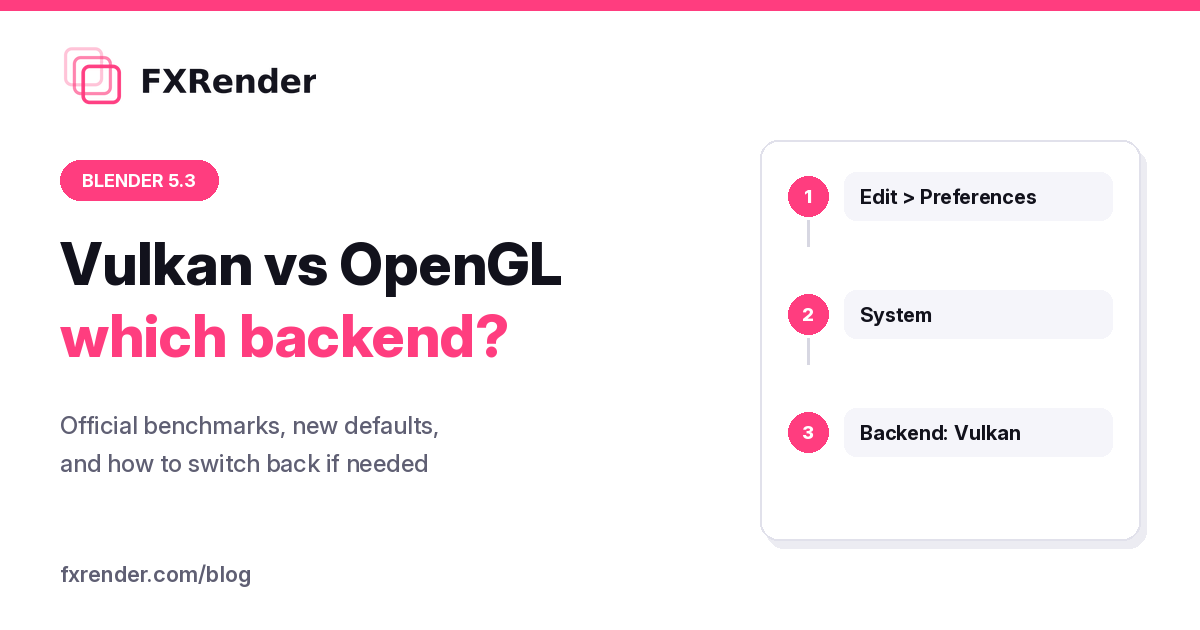
- Open Edit > Preferences > System.
- Under Display Graphics, set Backend to OpenGL or Vulkan.
- Restart Blender. The manual notes that "changing the backend requires restarting Blender for the change to take effect."
The same panel has a Device option for Vulkan. On a laptop or workstation with both integrated and dedicated graphics, use it to force the GPU that drives Blender's display, or leave it on Auto.
From the command line
If Blender crashes before you can open Preferences, start it from a terminal and force the backend for that session. The 5.3 command line arguments page documents:
blender --gpu-backend opengl
blender --gpu-backend vulkan
blender --gpu-device help
--gpu-backend accepts vulkan, metal or opengl. --gpu-device help prints the Vulkan devices Blender can see and exits, and --gpu-device picks one for that run only. Running from a terminal also shows error messages that never appear in the UI, which the graphics hardware troubleshooting guide recommends for crashes on startup.
If the selected backend is not supported, Blender falls back to another backend. For debugging you can disable that with --debug-gpu-backend-no-fallback, which makes Blender fail instead, so you know for sure which backend is in use.
A quick troubleshooting checklist
- Update your graphics driver from the GPU vendor, not only through Windows Update. This is the first step in every vendor section of the troubleshooting guide.
- Check which GPU Blender uses. On laptops, make sure Blender runs on the dedicated GPU, or pick the device under Display Graphics.
- Save System Info. Help > Save System Info writes a report with your GPU, vendor and driver version. Attach it to any bug report.
- Swap backends once. If a problem disappears on OpenGL, it is backend or driver related. If it stays, look at the scene, add-ons or memory.
- Report it. Vulkan only became the default in 5.3, and backend bugs get fixed fastest when someone files a reproducible report with system info.
Does the backend matter for command-line and farm rendering?
For Cycles, the frame itself is computed by the Cycles compute device (CUDA, OptiX, HIP, oneAPI or Metal), so the graphics backend is not what decides speed. For EEVEE and Workbench, rendering goes through the GPU backend even when you run Blender in background mode, so the same --gpu-backend flag is a useful test if an EEVEE command-line render fails on one machine and works on another. Keep both cases in mind before blaming the farm, the file or the driver.
Where FXRender fits
When a render behaves differently on another machine, the log is what tells you why. FXRender is a cloud GPU render farm for Blender that shows the full per-frame render log, including Blender's own output, Python tracebacks and errors, so you can see exactly what happened on each frame. GPU rendering is $1.50/hr, and jobs can be submitted and monitored with the CLI or through MCP automation.
FAQ
Is Vulkan the default in Blender 5.3?
Yes on Windows (except ARM) and Linux. The Blender 5.3 release notes state that the Vulkan backend is now the default there. macOS uses Metal.
Is Vulkan faster than OpenGL in Blender?
In the official Blender 5.3 viewport benchmarks, Vulkan was faster than OpenGL in all seven test scenes, from about 6% to about 61% more frames per second depending on the scene. Results were measured on a single NVIDIA system on Linux, so test your own scenes.
How do I switch Blender back to OpenGL?
Go to Edit > Preferences > System > Display Graphics, set Backend to OpenGL and restart Blender. You can also launch Blender with the command line option --gpu-backend opengl.
Does the Vulkan backend make Cycles render faster?
Not directly. Cycles path tracing runs on the Cycles compute device (CUDA, OptiX, HIP, oneAPI or Metal). The graphics backend affects the interface, the viewport, EEVEE and Workbench.
What are the minimum requirements for Vulkan in Blender 5.3?
Blender 5.3 lowered the minimum to Vulkan 1.1 and made some GPU and driver features optional so more devices are supported. Keeping your graphics driver up to date is still recommended.
Sources: Blender 5.3 release announcement, Blender 5.3 EEVEE and Viewport release notes, Blender 5.1 EEVEE and Viewport notes, Blender 5.0 EEVEE and Viewport notes, Blender 4.5 EEVEE and Viewport notes, and the Blender 5.3 manual pages for System preferences, command line arguments and graphics hardware troubleshooting.